How to download a PowerPoint report?
The inca Dashboard provides the option to download a PowerPoint report on the Report Page.
You can download the results with charts as PowerPoint documents by clicking the "P" button in the upper right corner.
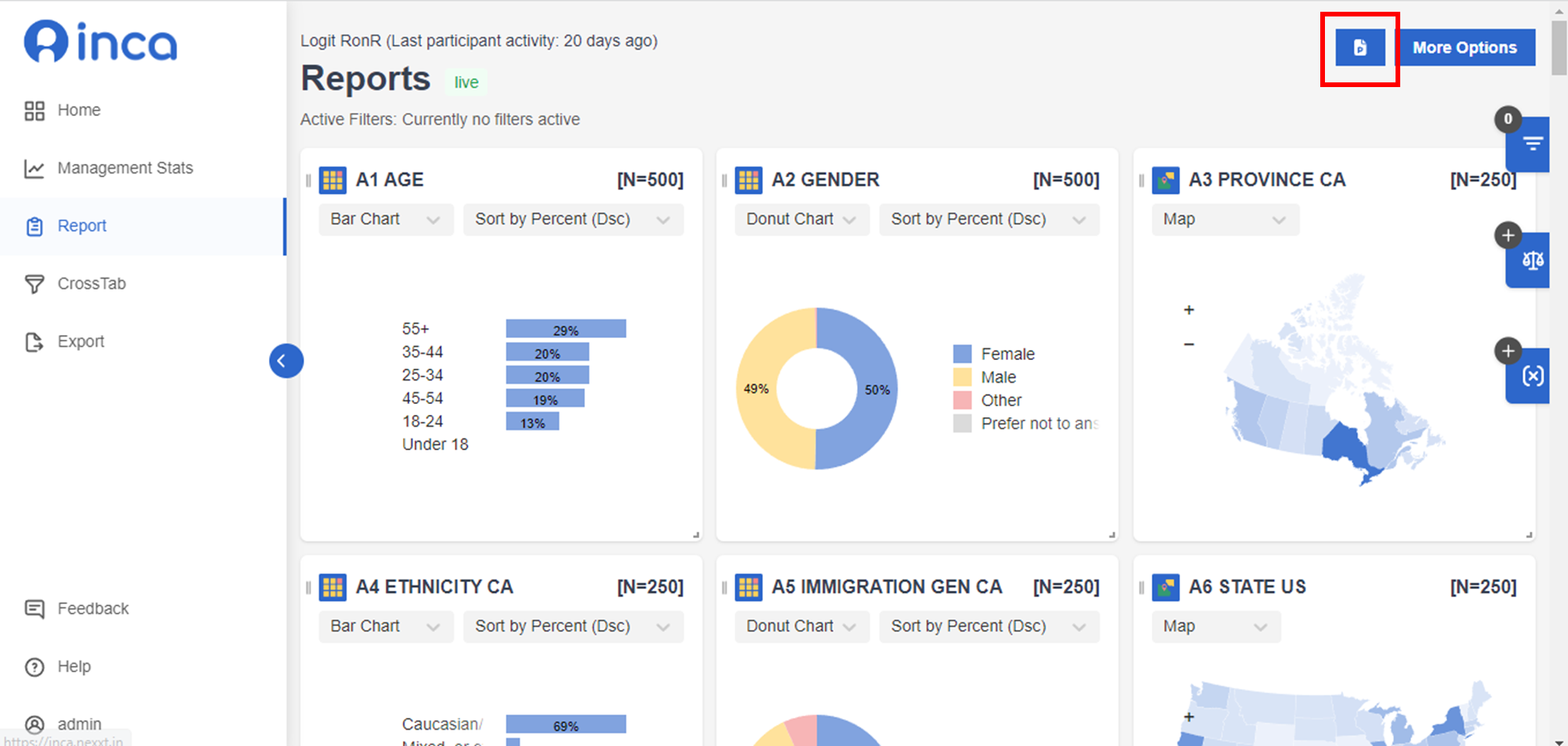
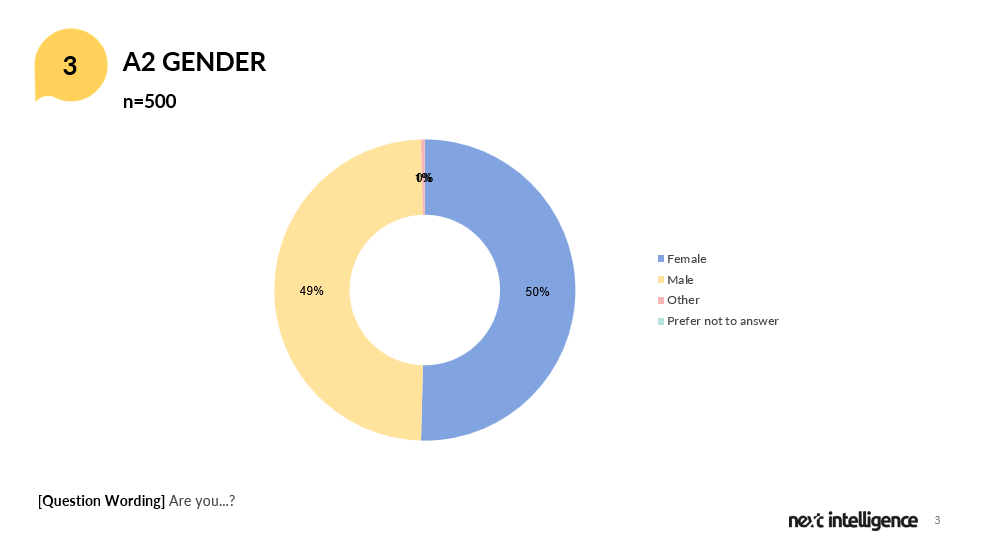
In the downloaded PowerPoint file, all the charts follow the same settings as on the dashboard page including chart type and sorting method. E.g. For question A2 GENDER, we choose to show it in the Donut Chart and Sort by Percentage in Descending order on the dashboard, and then in the downloaded file, the chart will follow the same settings. All the charts are editable in the PowerPoint file in case you want to modify the chart type, sorting, design, etc.
Also for each question, in addition to the chart, we show the Question Label and Base Size on the top and the Question Wording in the footnote.
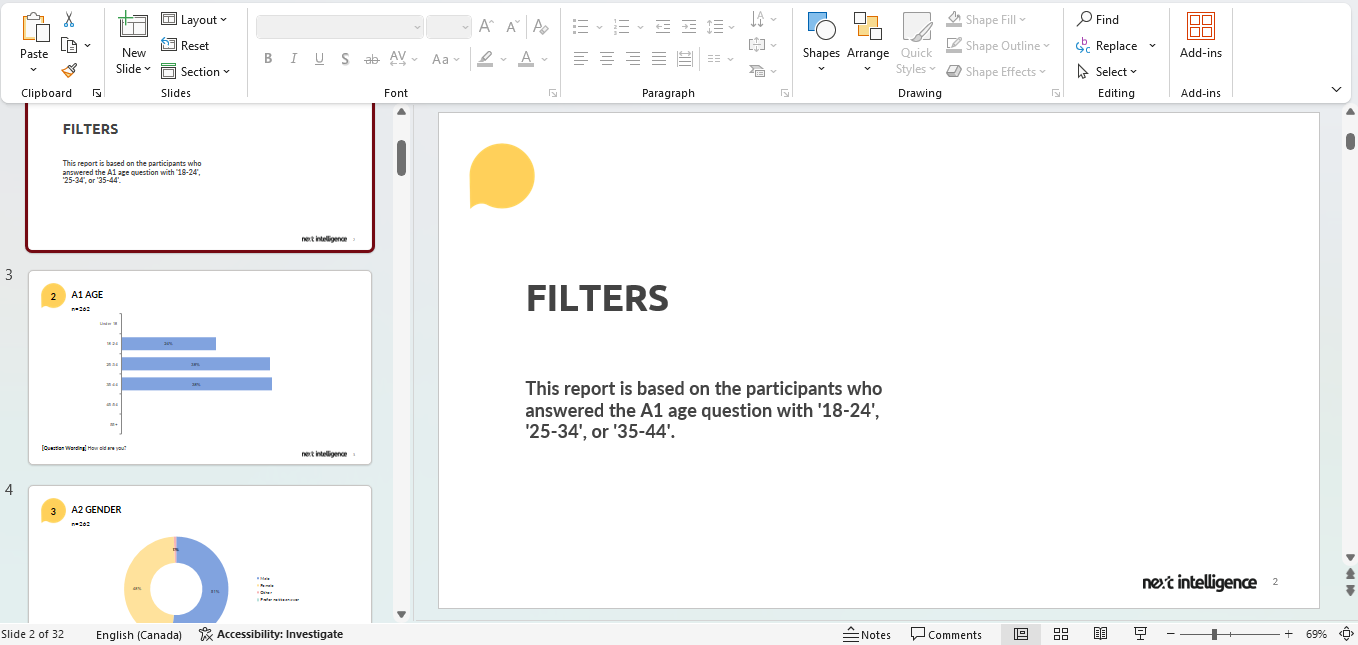
You can also download the PowerPoint with the filtered data using the Filter feature. E.g. If you want to have a PowerPoint report for those aged 18-44, you can create this filter on the Report Page and then download the PowerPoint report. The downloaded report will explain what filter(s) has been applied to the whole report and show filtered results accordingly.
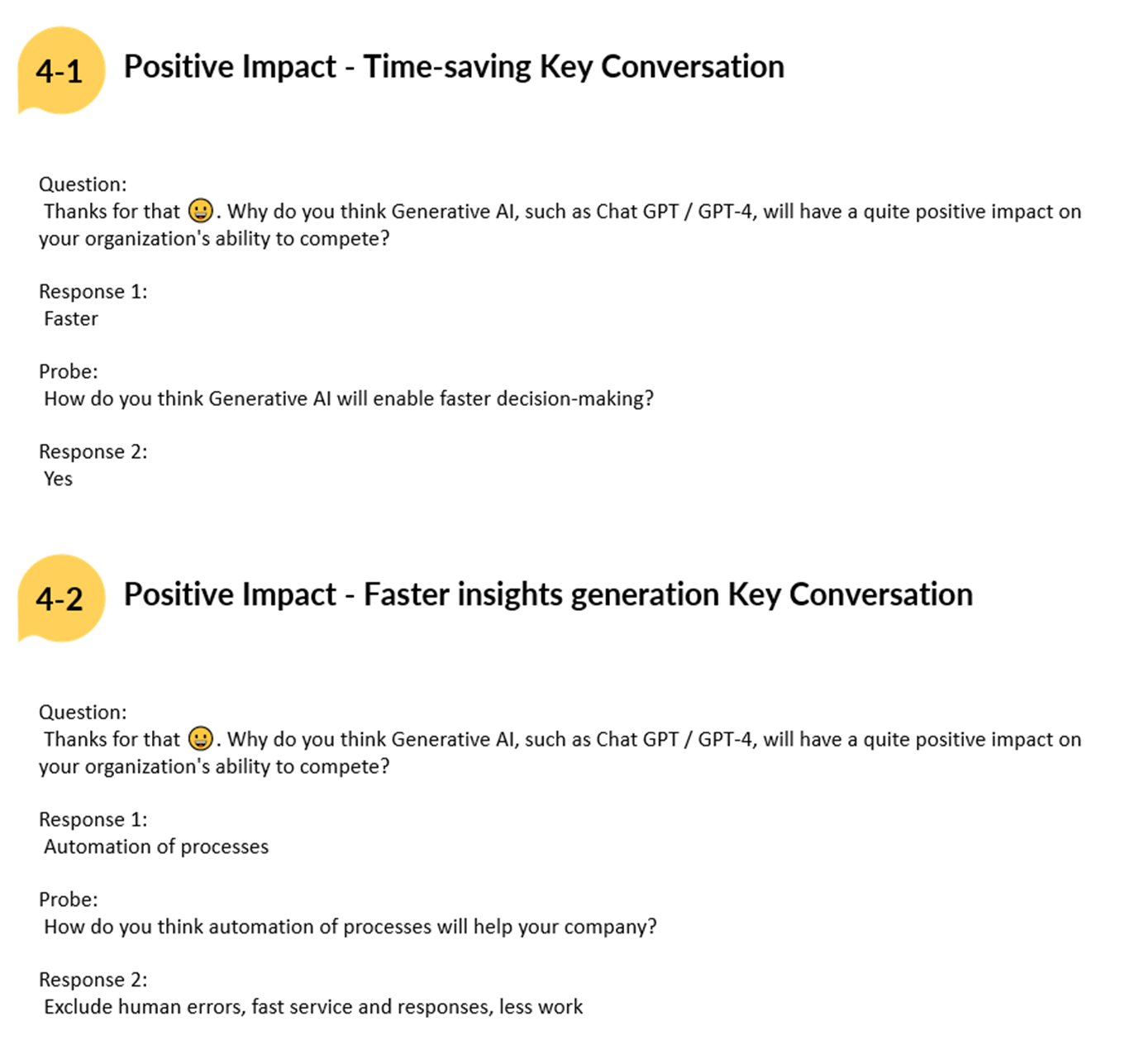
The full verbatim will only be available on the online Dashboard and in the raw data file (Export page).
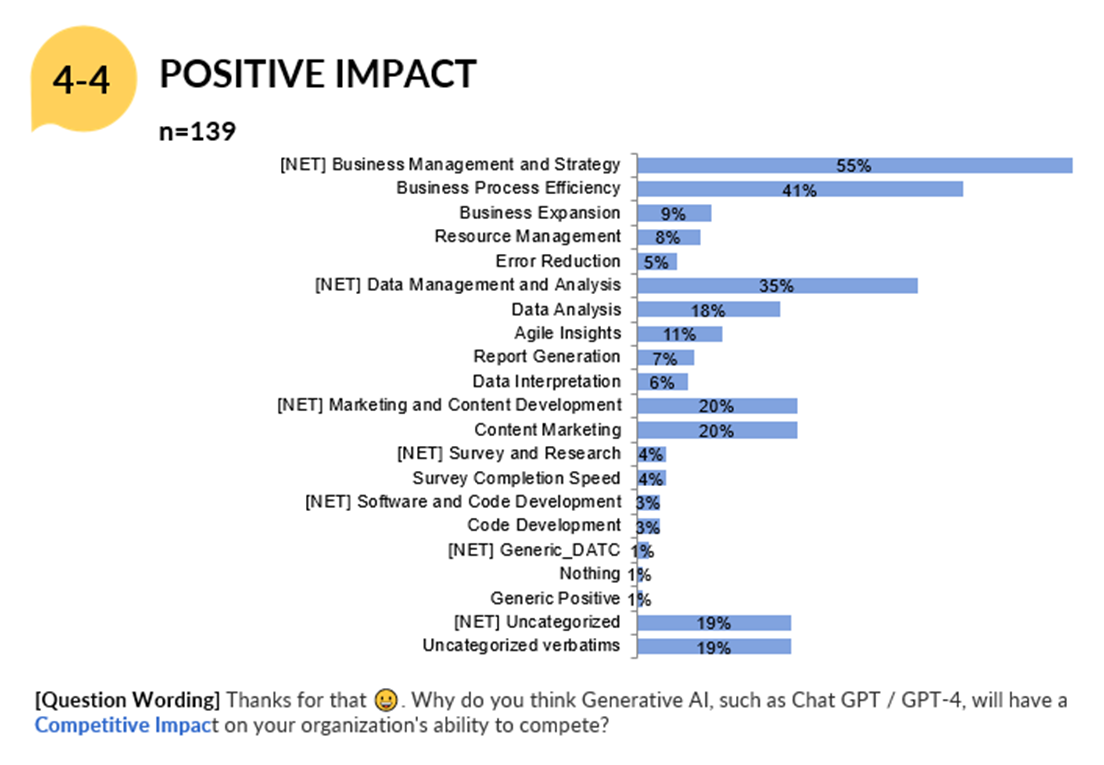
Example of OE Summary Slide
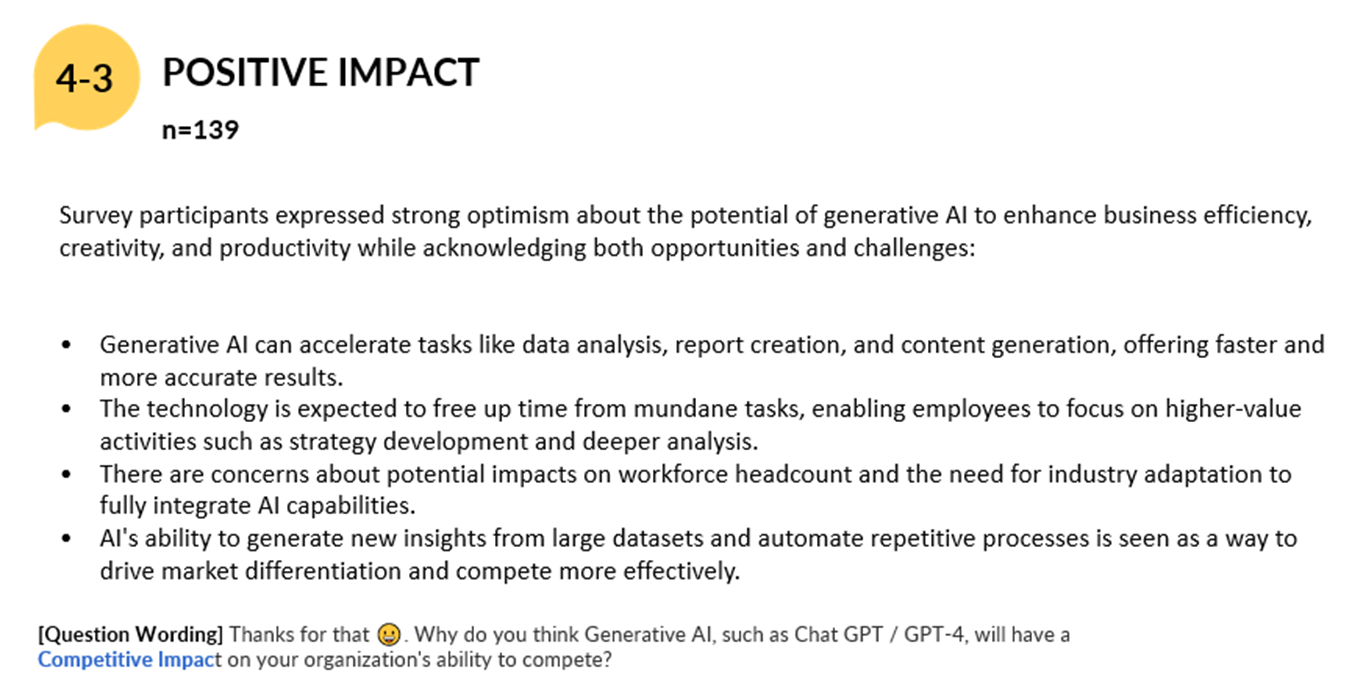
Example of OE Sample Verbatim
Related Articles
How to download raw data or individual data?
To download the raw survey data on the Dashboard, go to the Data page and simply click Export Data. As shown in the above Export Setting, pre-selected default settings are already available for the user's convenience, but other options are also ...How the data is analyzed and visualized for Loop Questions?
Looped Questions in Dashboard 1. Report Page Each question in the Loop has a visualization chart. Within each chart, a Loop drop down allows users to filter results by a specific loop. Example Visualization for Loop: Question based Example ...How the data is analyzed and visualized for Open Ended Questions?
On the dashboard REPORT PAGE, the text analytics using AI run three different models for the open-ended verbatim -- Summaries, Themes and Keywords. As such, users can see three types of visualization for the standard open end question: Summary The ...How to Add and Apply Weights?
About Weighting Weighting is a statistical technique used to adjust the results of a survey to bring them more in line with the actual demographics of the population being studied. inca allows users to add and apply weights when certain groups of ...How to filter data in the Dashboard?
In the Dashboard, FILTERS are useful analysis tool that allows you to filter the responses from the total sample and show only the data for a certain group/segment or data set that you have selected. How to set it up? 1. You can use the Filter ...