How the data is analyzed and visualized for Image Hotspot?
How does Image Hotspot work?
Image Hotspot is mainly used to test images or ads/concepts that are a mixture of image and text.
Participants are presented with an image with predefined regions to select from and choose whether they feel like, dislike or confused. An open-ended question is then asked to comment on the reasons for their selection
Please see more details about What is Image Hotspot and how to set it up here.
How the data is analyzed and visualized for Image Hotspot
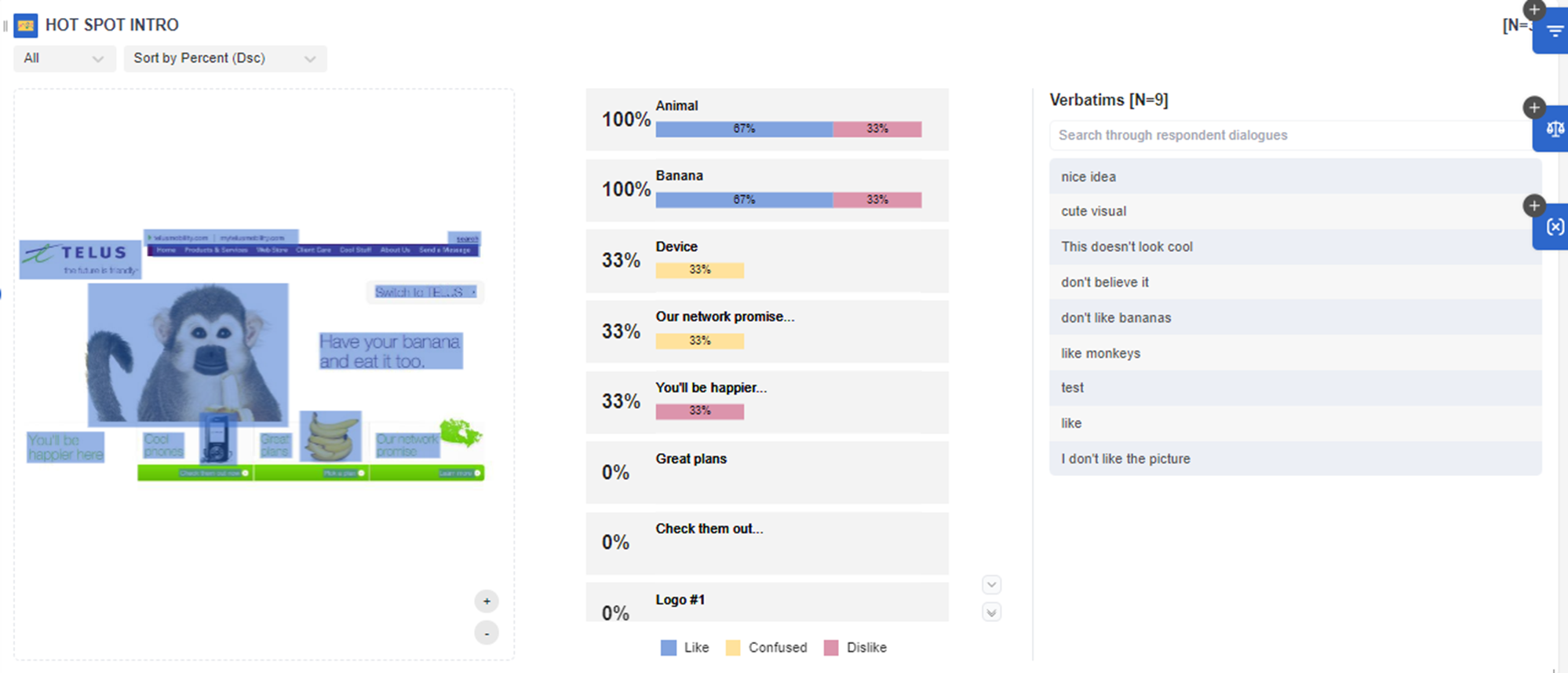
On the dashboard REPORT PAGE, users can see a visualization like the following screenshot for Image Hotspot.
The Image Hotspot works similarly as a multiple-choice question where the highlighted image and text are the options.
In this example, the participants are asked "Can you click anything that catches your attention and also choose if it's the part that you like, or dislike or find confusing?"
In the Overall Score, most participants selected animals and bananas (100%) as the elements that most appealed to them.
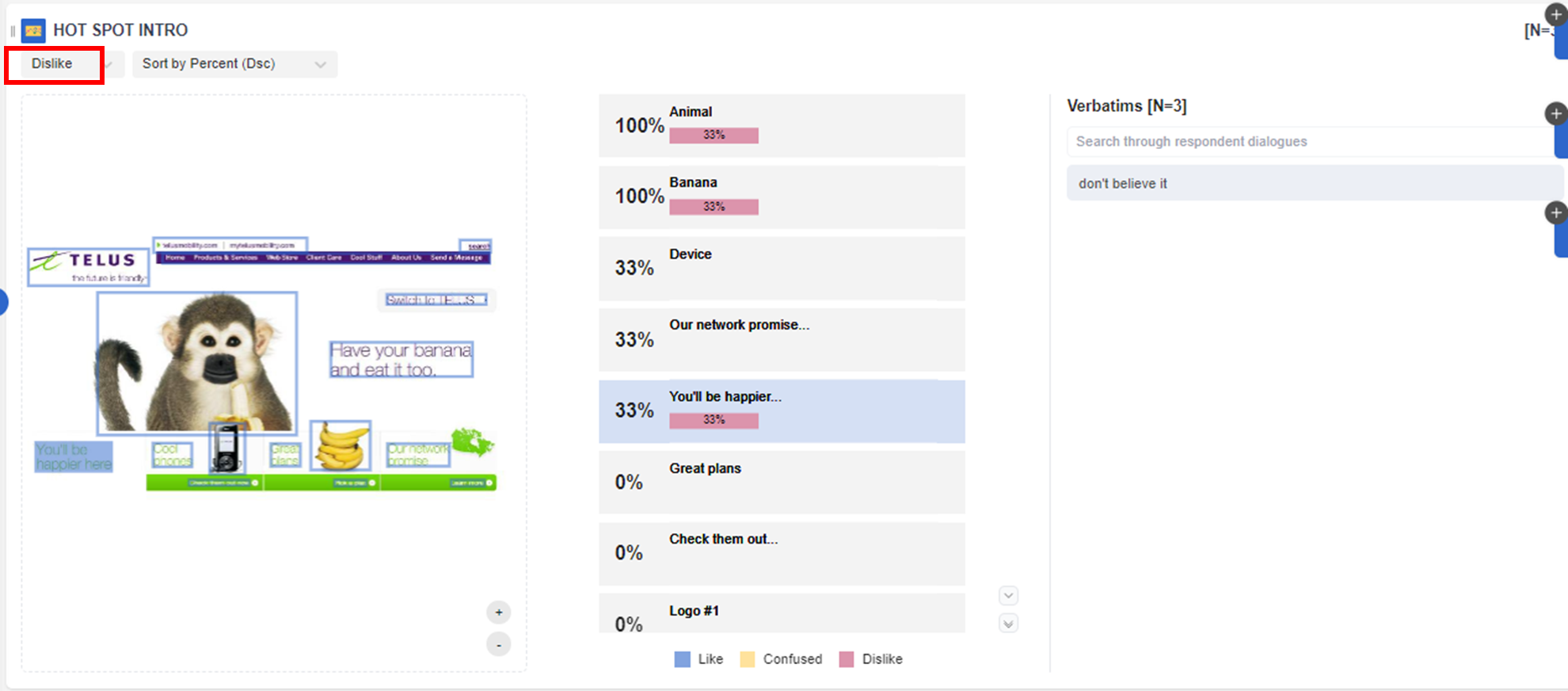
The BLUE bar are scored among LIKE; the YELLOW are scored for CONFUSED; and RED bar are scored for DISLIKES. In this case, while the tagline "you'll be happier" is noticeable for some participants, most of them disliked this element (33%).
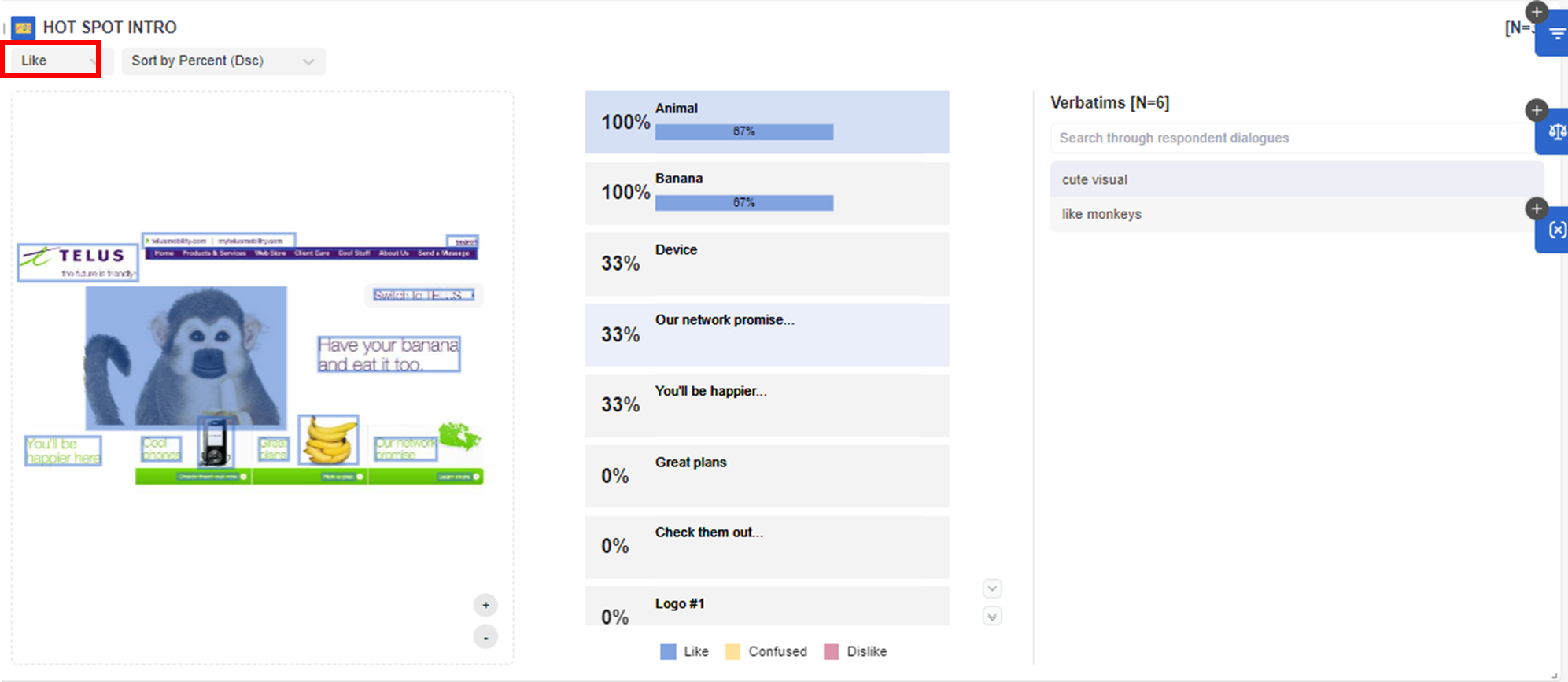
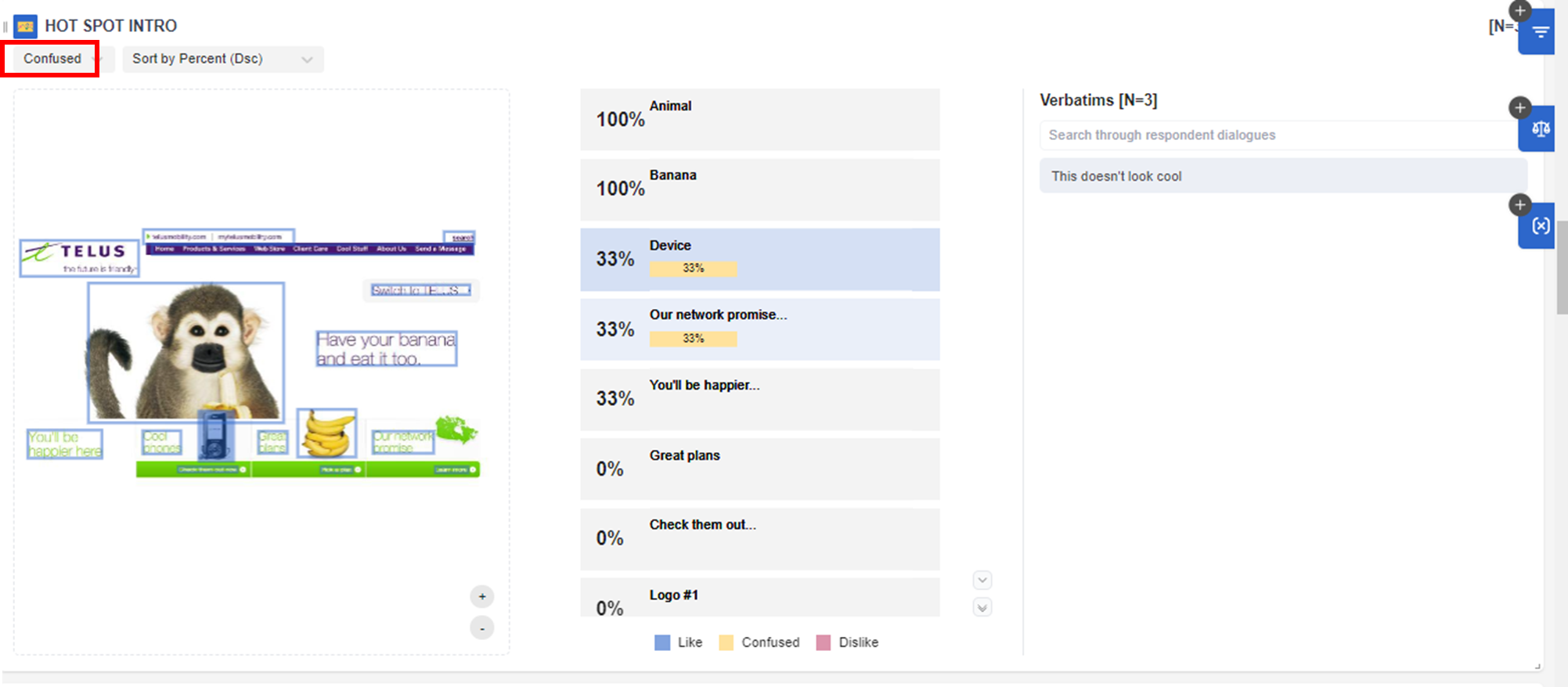
Users can also filter results for LIKE, CONFUSED and DISLIKE and show the verbatim for each selection:
Related Articles
How the data is analyzed and visualized for Video Annotations?
How do Video Annotations work? Video Annotations are mainly used to test ideas and concepts in which the video stimulus can be evaluated scene by scene. Participants are asked to select and pause the scene in which they feel like, dislike, or are ...How the data is analyzed and visualized for Treeman Projective?
How does Treeman Projective work? Treeman is a Projective technique that elicits the emotions and feelings of participants on a particular topic. It is mainly a single-choice question and all the options add up to 100%. An open-ended question is then ...How the data is analyzed and visualized for Tradeoff Ranking?
How Tradeoff Ranking works? Tradeoff Ranking is mainly used to test the attractiveness and competitiveness of different ideas, including concepts, messages, logos, features and other stimulus materials. It explores further why the customers like or ...How the data is analyzed and visualized for Text Highlighter?
How does Text Highlighter work? Text Highlighter is mainly used to test ideas, concepts, messages, taglines, and slogans in which the text format stimulus material can be evaluated word by word, phrase by phrase, or by sentences. Participants are ...How the data is analyzed and visualized for Guided Fantasy Projective?
On the dashboard report page, the Guided Fantasy is analyzed and visualized with a Summary: Note: If users need coded results or Themes, users can export the verbatims of the Guided Fantasy question from the raw data file or copy the verbatims ...