How to set up Built-in Targeting Variables?
What are Built-in Targeting Variables?
Built-in targeting options will send information to INCA PANEL to indicate the types of participants you would like to be invited to your study. The panel partner (Dynata) will use these options set on the audience page to determine whom to target or send invitations to as well as when to stop directing specific participants based on quotas.
Adding a built-in targeting option will also automatically add a question to your study with fixed options based on the panel options. So you don't need to add them to Custom Screeners again.
For each country, we offer Targeting Variables based on 20+ profiled attributes, including:
- Demographics
- Household Status
- Region
- Category Usage
- and more
How to set up Built-in Targeting Variables?
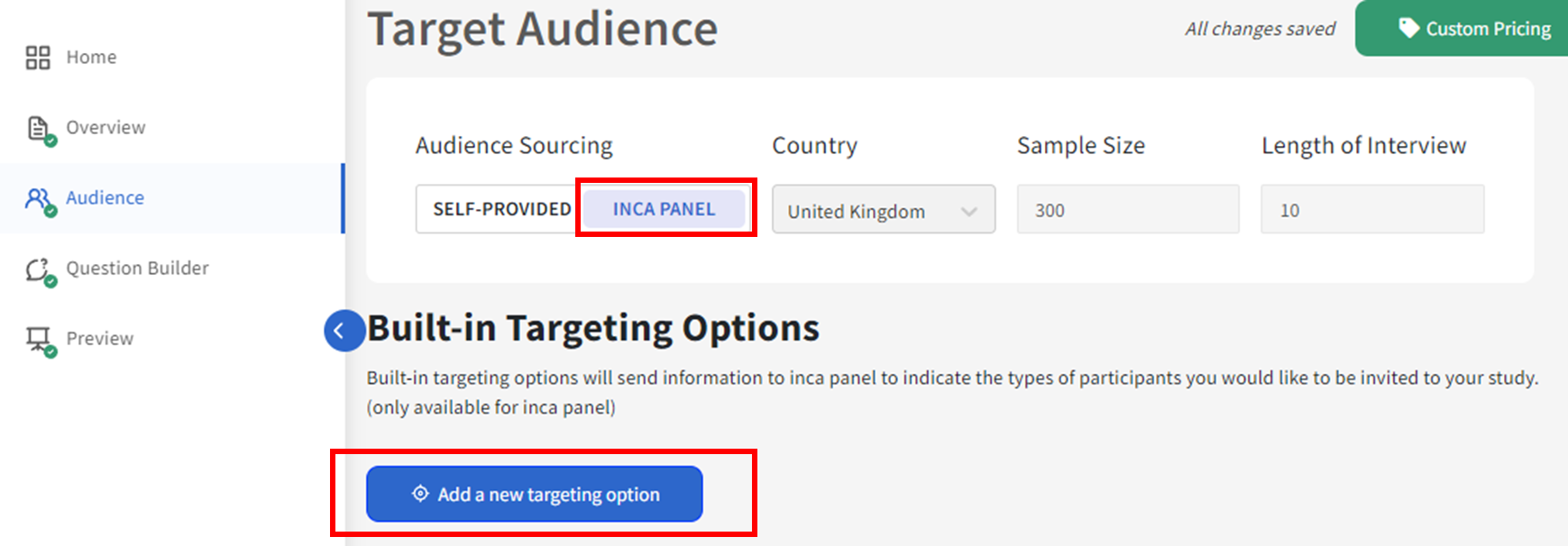
1. In the Audience page, select inca panel as your Audience Source, then under Built-in Targeting Options click the blue icon for "Add a new targeting option"
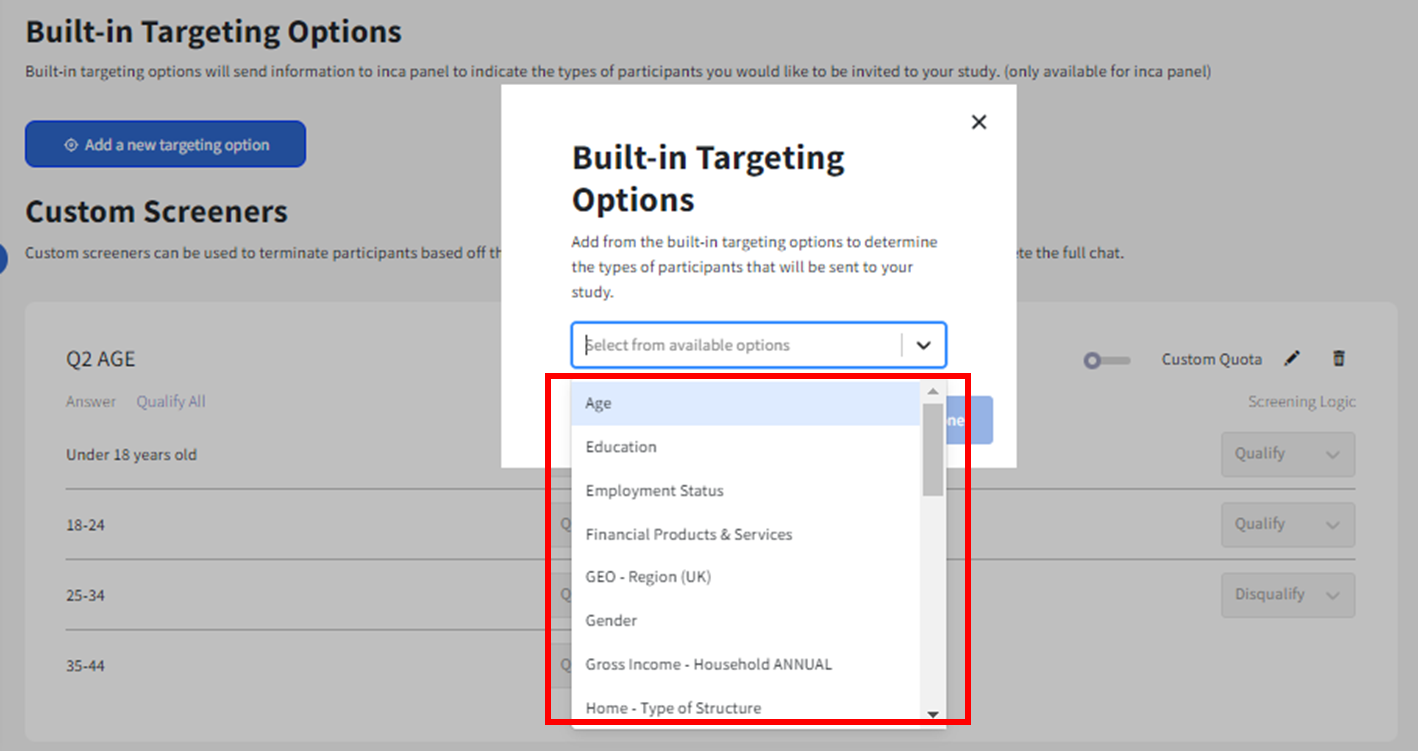
2. Once the popup notification comes out, select the targeting option you want to add from the drop-down list.
Note: If Custom Screen
ers were added first when building the questionnaire (For example Age, Gender) then we don't have to add them again in Built-In targeting options.
3. For example using Gross Income - Household Annual, you want to target different economic segments, but you want to exclude those earning less than £10,000. On the left side, you can select the options (blue box) and the system will target only the options you have selected (right side for e.g.£10,000 and above).
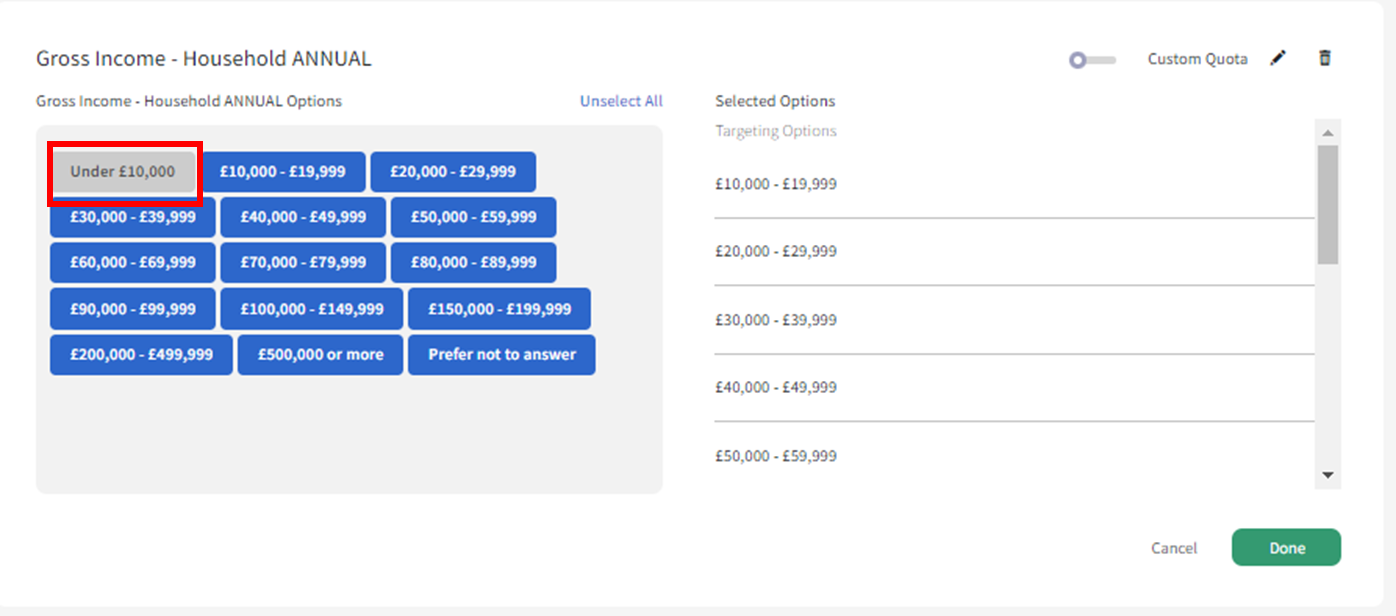
The option "Under £10,000" will still show up in the survey chat but will be disqualified if selected by the participant.

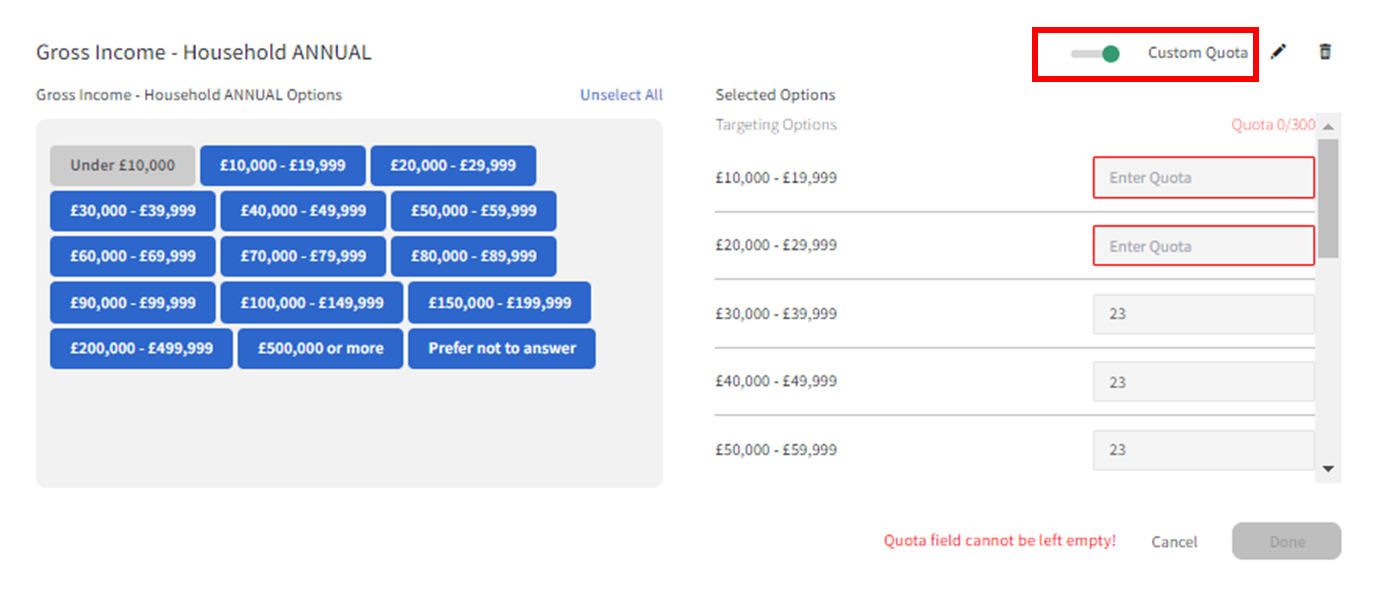
4. To set the quota for each group, toggle the Custom Quota and input your target sample per group, then click Done.
5. To add a new targeting option, click the icon for"Add a new targeting option" again.
Related Articles
How to set up Audience from INCA PANEL
What is INCA PANEL? INCA PANEL connects to Dynata's global panel, through which, the user can source Audience directly from inca platform without reaching out to the panel providers separately. How to set it up? In order to set up the Audience from ...How to set a Quota using CUSTOM SCREENERS?
What is a Quota? A quota limits the number of participants allowed from a specific group. It helps you get a balanced sample of specific participants and the exact amount of data you need. How to set it up? 1. In the Audience page, click Add a Custom ...What is Disqualification Control and how to set it up?
Note: This documentation is based on legacy systems and we recommend users to look at the Demerit AI and Disqualification system documentation here. The Disqualification Control allows you to control how strict or lenient you can be on the way ...How to set up Audience from SELF-PROVIDED sources?
What is a SELF-PROVIDED audience? When the user prefers to use their audience sources instead of directly using the inca panel, it is referred to SELF-PROVIDED audience. SELF-PROVIDED audience mainly includes - Any third-party online panel(s) that ...What is ANSWER REFERENCING and how to set it up?
With ANSWER REFERENCING, the user can customize the wording for each participant by referencing the answers from a previous question. Answer referencing can be added to the toolbox for question wording. You may choose to reference TEXT format answer ...