How to set up Audience from INCA PANEL
What is INCA PANEL?
INCA PANEL connects to Dynata's global panel, through which, the user can source Audience directly from inca platform without reaching out to the panel providers separately.
How to set it up?
In order to set up the Audience from INCA PANEL, there are three main things the user needs to specify.
1. Mandatory Settings
The following sample/study specifics are required to set up INCA PANEL and to get a quote -
- Sample Size - Please note that n=3000 sample size is the upper limit per project, and if you are looking for more than that then please contact the nexxt team.
- Fieldwork Country - Please note that currently, we support the following 5 countries including Canada, United States, United Kingdom, Australia and New Zealand. For INCA PANEL, we only allow one fieldwork country per study. If you wish to run a multi-country study using INCA PANEL, then you will have to run it with multiple studies.
- Length of Interview- Length of Interview would also impact the sample cost. When stating the length of the interview, it is recommended to input the average length instead of the maximum length.

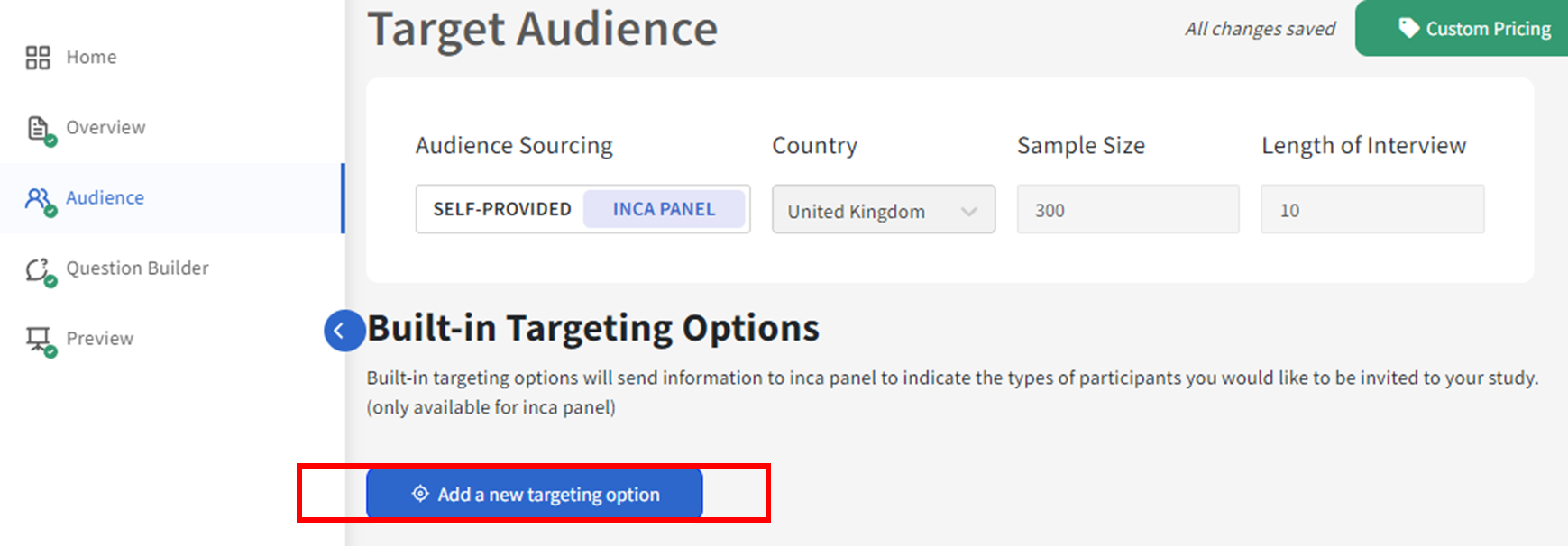
2. Add Built-in Targeting Variables.
Built-in targeting options will send information to INCA PANEL to indicate the types of participants you would like to be invited to your study. The panel partner (Dynata) will use these options set on the audience page to determine whom to target or send invitations to as well as when to stop directing specific participants based on quotas.
Adding a built-in targeting option will also automatically add a question to your study with fixed options based on the panel options. So you don't need to add them to Custom Screeners again.
For each country, we offer Targeting Variables based on 20+ profiled attributes, including:
- Demographics
- Household Status
- Region
- Category Usage
- and more
It is recommended to look through Build-in Targeting Variables first before adding Custom Screeners, as Build-in Targeting Variables can help optimize the sample outgo and improve the Incidence Rate, hence lowering the Sampling costs.
Please see more details about how to add Build-in Targeting Variables here.
3. Add Custom Screeners
This is useful if you didn't find all the targeting options you wanted. The goal of this section is to add additional Custom Screeners to further narrow down your audience by
- Setting up Termination logics - Please see more details here.
- Adding Quota Groups - Please see more details here.
Audience Pricing
The sample cost will be shown immediately on the top right when all the Mandatory Settings are filled out, and also keep updated according to the changes you've made to the page.
When custom screeners are added to the study, it will show Custom Pricing. In this case,
- Click Custom Pricing
- Choose to Provide an Incidence Rate or Request a quote

How to determine the Incidence Rate?
Your incidence rate is the percentage likeliness your participant will lead to a complete without being terminated and quota’d out. This rate is only required when using INCA PANEL and is automatically calculated if only Built-in targeting options are used as screeners. When adding custom screeners an estimated incidence rate is required to calculate the cost of the panel for the project.
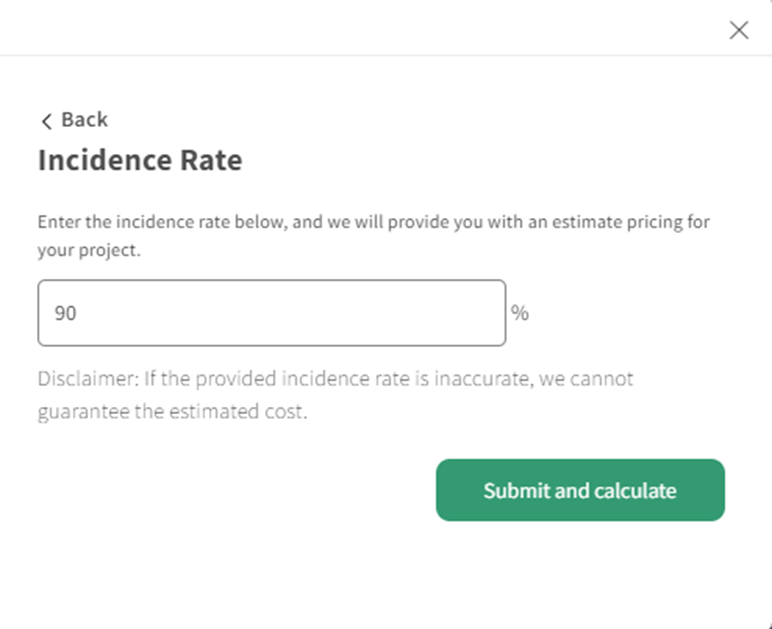
To make an educated guess on your incidence rate, there are a few things you can do:
- Check to see if your team has relevant market research on the target audience.
- Conduct an online search for outside research, which can also give you valuable insights, especially if the category is well-researched.
- Run an “incidence rate test” where you create a mini-survey with just your screening questions. You can then launch your survey to 100-200 people and see how people answer the questions. From there, you can calculate your incidence rate, and use a more accurate estimate when launching your survey to the entire audience.
If you are unsure of what incidence rate to input, you may click "Request a quote" to get a consultation with Nexxt team.
Related Articles
How to set up Audience from SELF-PROVIDED sources?
What is a SELF-PROVIDED audience? When the user prefers to use their audience sources instead of directly using the inca panel, it is referred to SELF-PROVIDED audience. SELF-PROVIDED audience mainly includes - Any third-party online panel(s) that ...How to set up REDIRECTS for panel integration?
Understanding panel integration with inca Setting up an integration with a panel company can be a complex procedure, so let’s break it down a little before we walk through the setup. The panel company you're working with will provide specific ...How to set up Built-in Targeting Variables?
What are Built-in Targeting Variables? Built-in targeting options will send information to INCA PANEL to indicate the types of participants you would like to be invited to your study. The panel partner (Dynata) will use these options set on the ...How to set up an Open Ended Question and optimize probing (inca SmartProbe Studio)
Main use: Using an open-ended question, participants can freely type answers in their own words (as opposed to a pre-determined list in Choice questions), which can be in lengthy essays or short texts. A. For inca platform users, you access inca ...What question types are available on inca?
inca provides 20 different types of questions, which fold into 4 main categories -Standard Questions, Specialty Questions, Static Content and Logic Questions. Presented with an image of a Blob Tree, participants are asked to select a character that ...