How to set up Audience from SELF-PROVIDED sources?
What is a SELF-PROVIDED audience?
When the user prefers to use their audience sources instead of directly using the inca panel, it is referred to SELF-PROVIDED audience.
SELF-PROVIDED audience mainly includes -
- Any third-party online panel(s) that you choose to use for the study.
- Any member user or customer list that is owned by yourself or provided by the client.
- The general audience you would source from any social media or public links.
How to set it up?
In order to set up an Audience from SELF-PROVIDED sources, there are three main things the user needs to specify.
1. Mandatory Settings
For the SELF-PROVIDED audience, the user is responsible for clearly communicating with their own sample sources about the sample specifics such as requirement criteria, fieldwork country, sample size, interview length, etc.
The only thing that is required on the inca platform is that the user needs to specify the Sample Size they want to target. Please note that n=3000 sample size is the upper limit per project, and if you are looking for more than that then please contact the nexxt team.

2. Self-Provided Settings
The main purpose of Self-Provided Settings is to establish a connection between the survey link and the sample source(s).
- If the user decides to use a third-party online panel for the study, then the user needs to set up integration with the panel through redirects. Please see here for more details.
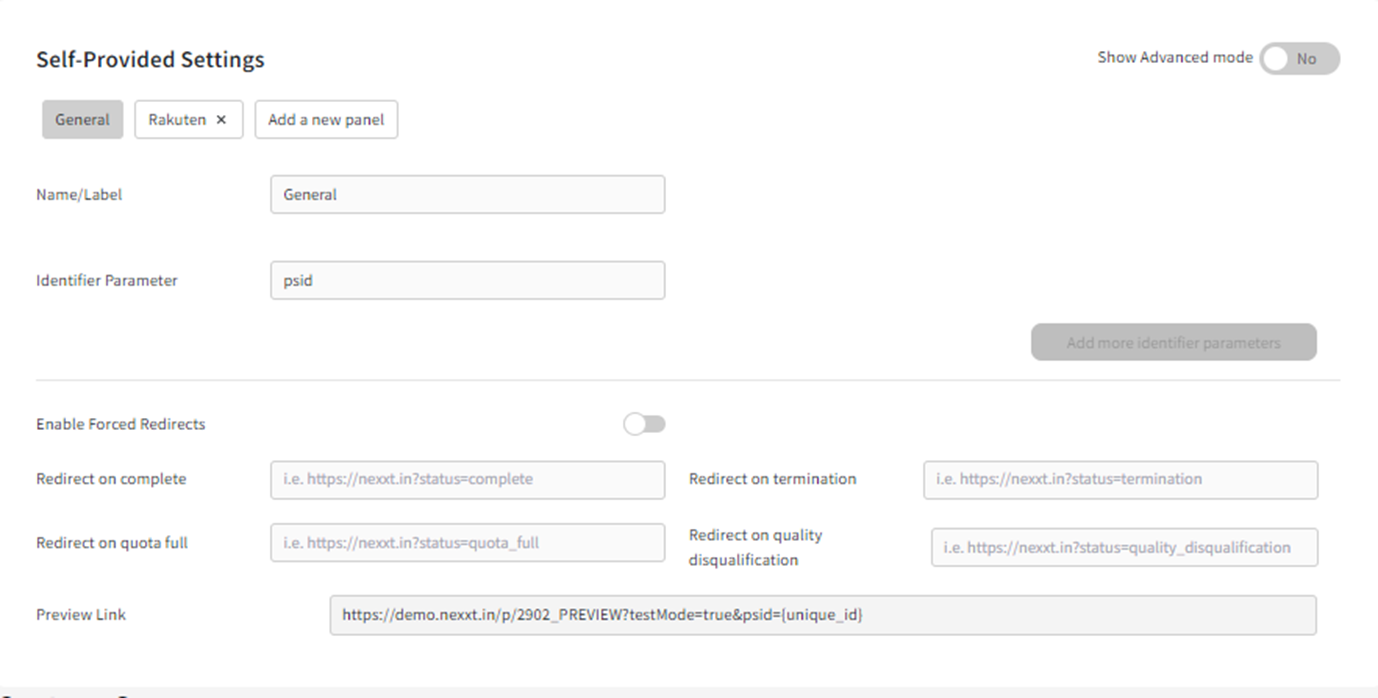
- If the user wants to use some existing member or user or customer list and send out a general link to all the participants, then they don't need to do anything in this section as well and they can also use a General survey link.
- If the user wants to use some existing member or user or customer list, and send out unique links to each participant, then they don't need to do anything in this section. But later on, they need to append the unique IDs to the General survey link using URL metadata. Currently, the built-in URL metadata field is TransactionID which users can modify using the psid (identifier parameter). So for example, every customer should get a link that looks something like https://demo.nexxt.in/p/codename?psid={uniqueTrackerId}and then users will change the psid={uniqueTrackerId} to the unique customer number.
If there is different URL metadata that needs to be captured, please find more details about URL metadata here.
As for sending out the unique links to each participant, many mailing platforms have this feature available and it would be best to look at their help centres to achieve this for the one the team is using. - If the user wishes to source from any social media or public links, then they don't need to do anything in this section. Later on, they can just use the General survey link.
3. Add Custom Screeners
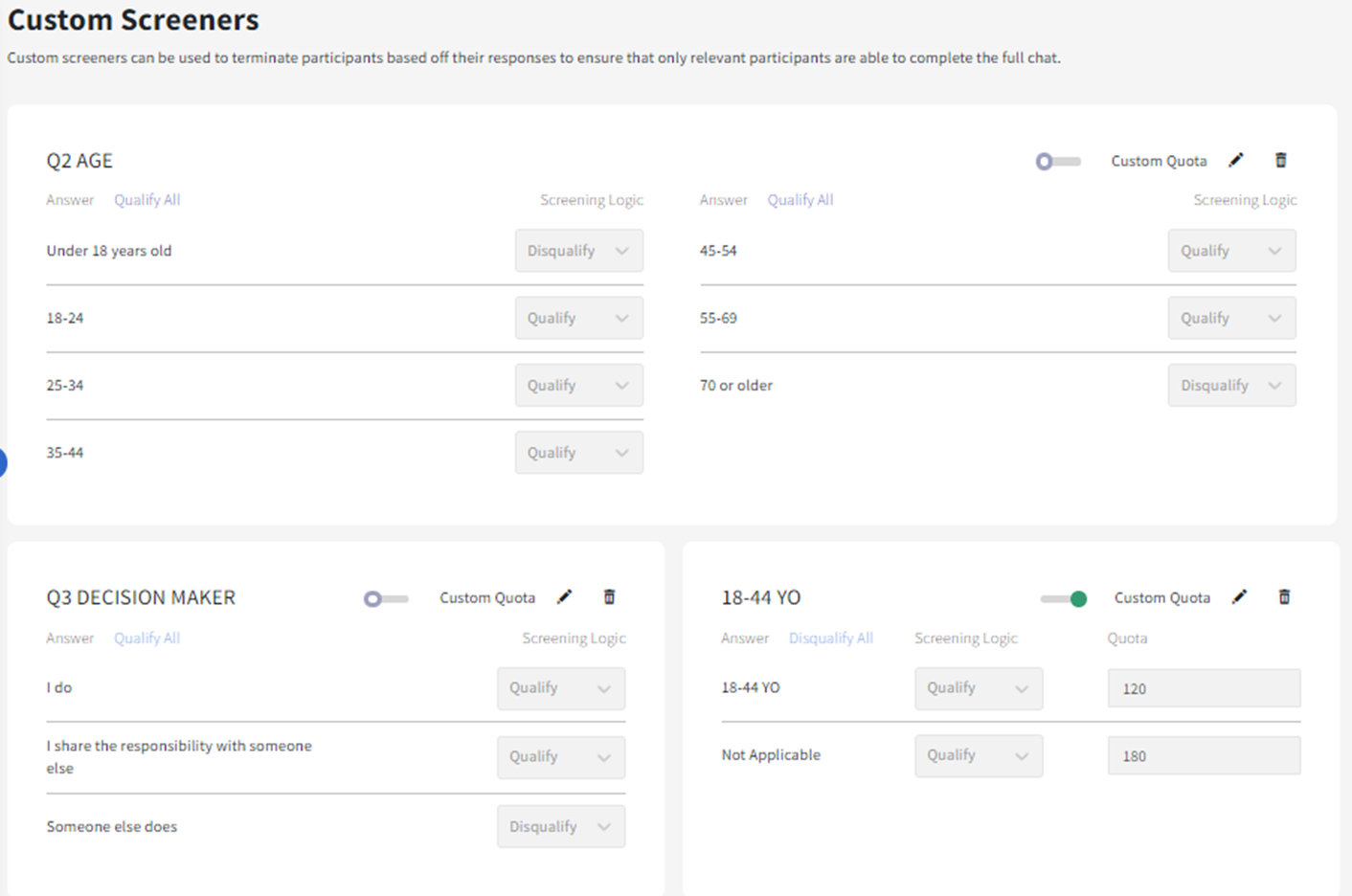
- The goal of this section is to screen the right audience by
- Setting up Termination logics - Please see more details here.
- Adding Quota Groups - Please see more details here.
Related Articles
How to set up a PII Question?
Main Use This question type is mainly used for collecting the participants personal information collectively known as PII (Personal Identifiable Information). This includes name, email address, phone numbers, and postal/zip codes. Note: The default ...What is a Virtual Question and how to set it up?
Main use: Virtual Question is a question that is hidden from the real survey conversation. With this question type, we can create variables that combine different options from other questions. Those variables can eventually help with the survey logic ...What is a Loop Question and How to set it up?
<br> Main Use The Loop question allows users to ask the same question or set of questions, and dynamically repeat them multiple times for a participant. The set of questions can be repeatedly asked across different stimuli or based on answers ...How to set up an Open Ended Question and AI Probing?
Note: This documentation is based on legacy systems and we recommend users to look at the SmartProbe Studio documentation here Main use: Using an open-ended question, participants can freely type answers in their own words (as opposed to a ...How to set up an Open Ended Question and optimize probing (inca SmartProbe Studio)
Main use: Using an open-ended question, participants can freely type answers in their own words (as opposed to a pre-determined list in Choice questions), which can be in lengthy essays or short texts. A. For inca platform users, you access inca ...