Project Directory Page and Filters
Once you've signed up and logged in to your account, you will be directed to the Project Directory Page and this is where you will find all the projects under your account.
At the top of the page, you'll see the different FILTER controls for your projects:
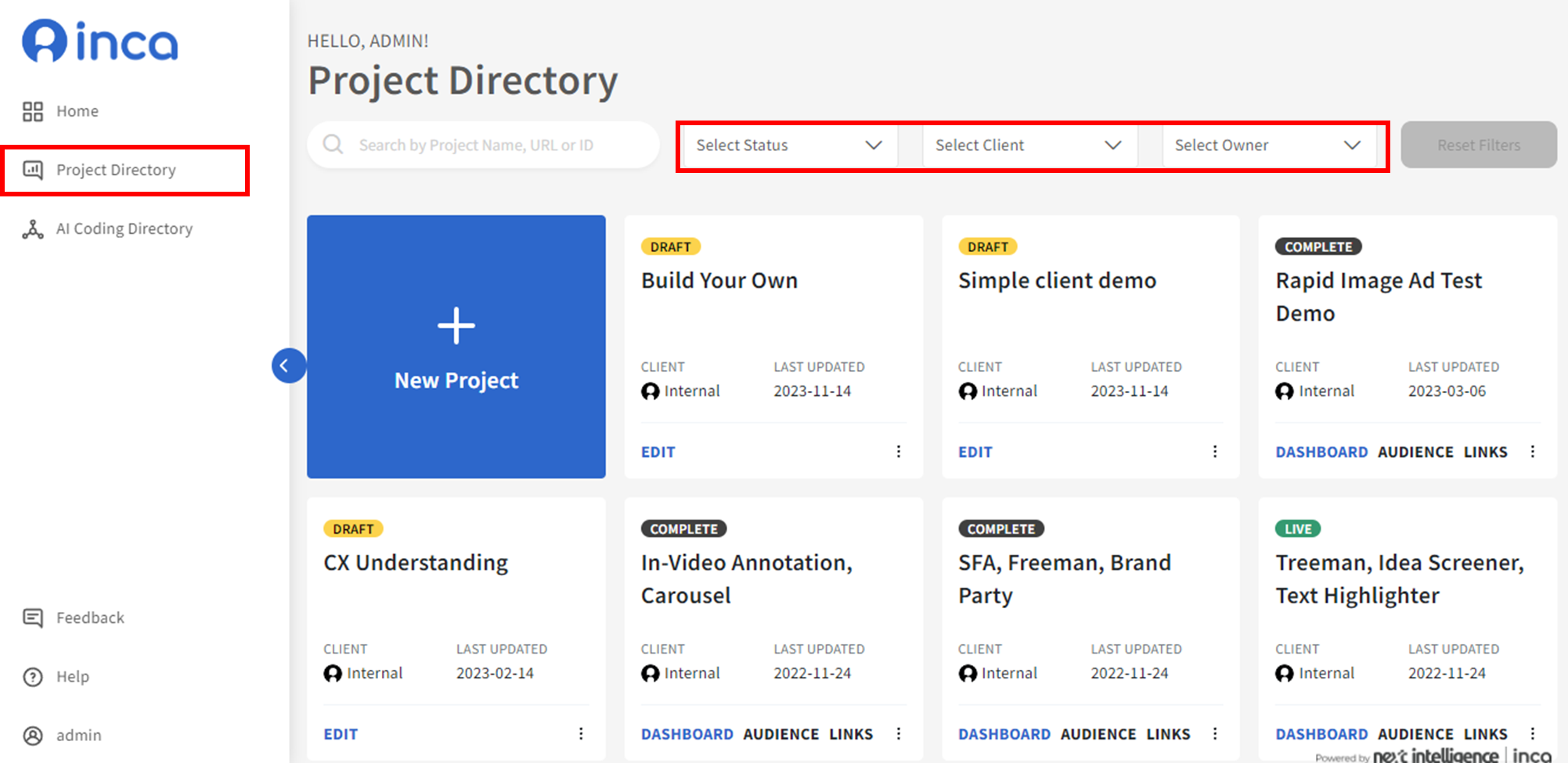
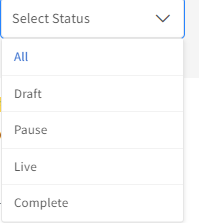
Select Status - This allows you to filter projects based on project status whether it is currently Live, in Draft, Pause, or Completed
Select Client- This allows you to filter projects based on client names.
Select Owner- This allows you to filter projects based on the different users under your account.
You can also use the Search Bar to search for specific projects.
Related Articles
What is Project-Level Conversational Settings and how to set it up?
In the Question Builder, users can control and apply the same Quality Control and Smartprobe settings for all Open End questions in their study. This can be done in the Overview page using the Conversational Settings tab. Once users enable the ...What does a project name, code name refer to?
The project name is the survey name you've given to your project. The project name will not be seen by the participants and only for internal use to easily identify your project in the inca platform. Project URL will be the live link used by ...How to download data map (questionnaire)?
To download a data map or questionnaire for your study, you can do so by going to theProject Directory Page. Hover over to your project/study then click MORE and click Question & Option Export to download the questionnaire/data map (excel format).Start a study from scratch or upload a file
Once you've signed up and logged in to your account, you will be directed to the PROJECT DIRECTORY page. To create a new study, just click the +New Project button and you can either build a study from scratch or upload from an existing questionnaire ...How can I upload my questionnaire file (Word or Excel) to the inca platform?
Once you've signed up and logged in to your account, you will be directed to the PROJECT DIRECTORY page. To create a new study, just click the +New Project button. Users can either build a study from scratch or upload from an existing questionnaire ...