How to share a link for the panel provider to view fieldwork progress?
If you are working with a 3rd party panel, they usually ask for a link to monitor fieldwork progress so that they can adjust sample pushing accordingly.
On the inca platform, you can accomplish this by sharing the management stats page with the panel provider without inviting them onto your platform. Please be assured that this will NOT disclose other dashboard pages and any individual participant data to them.
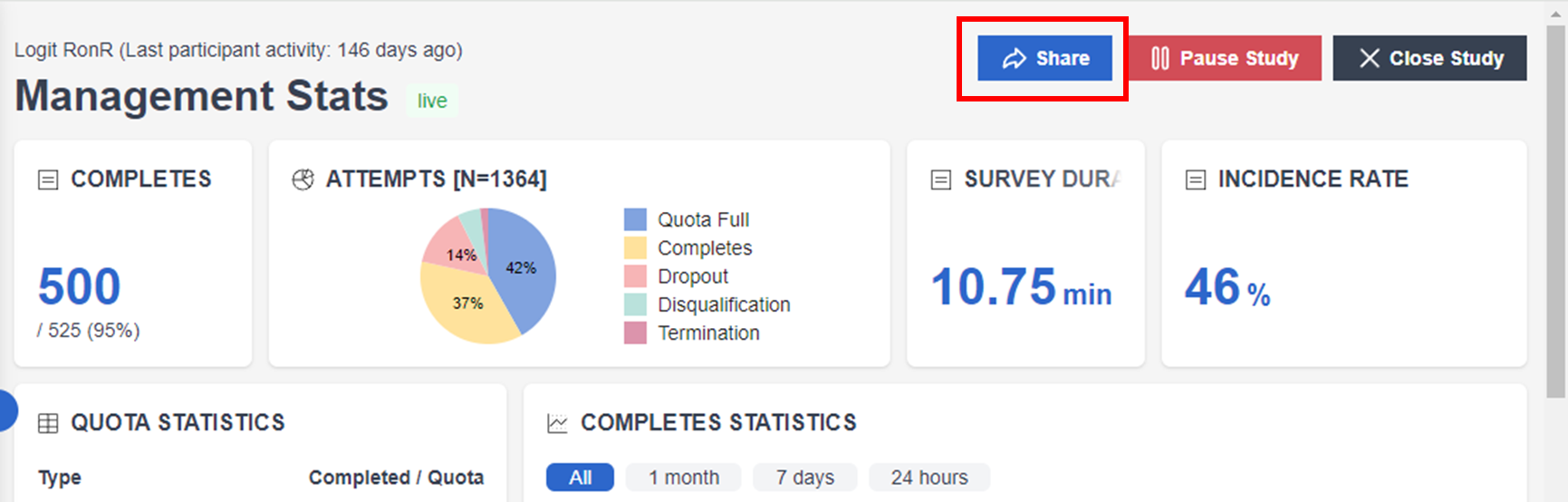
To do this, click the "Share" button on the management stats page (top right)
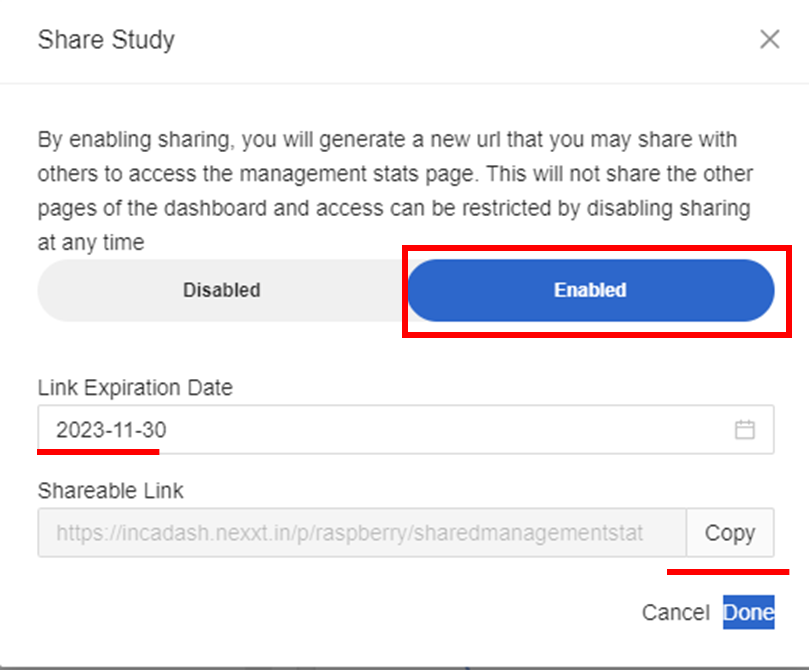
Next, toggle to Enable the shareable link, then specify the link expiration date (date until the panel can access the Management stats page), copy out the shareable link, and click Done.
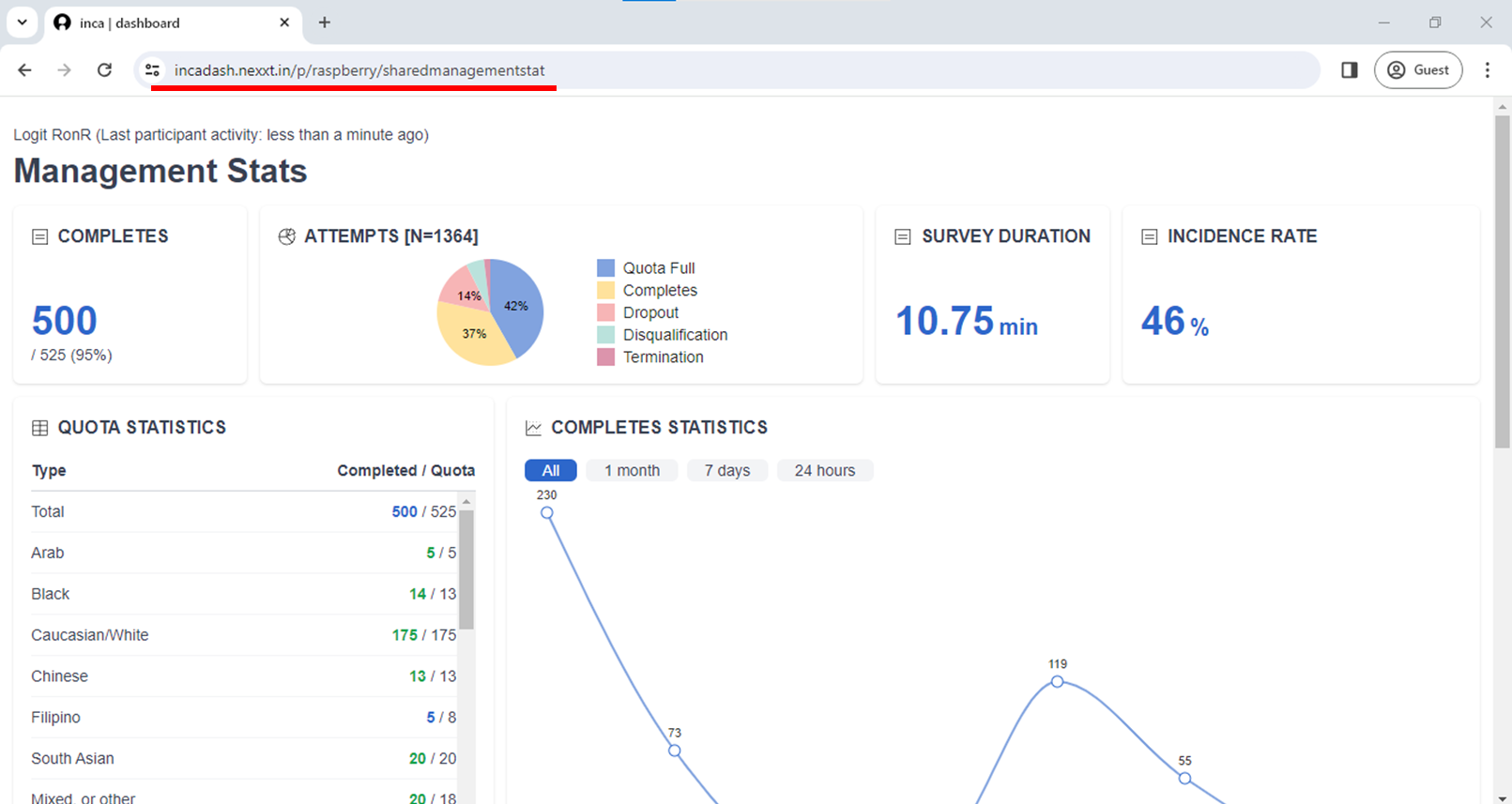
The shareable link will show all the features of the Management Stats page of the dashboard except for the Control Settings (Share, Pause Study, Close Study).
Learn more about the Management Stats page in the article here.
Related Articles
How to monitor responses?
Once the survey chat is live, you can already access your project and monitor the responses on the inca dashboard. The first feature of the dashboard is the MANAGEMENT STATS where you can check the real-time progress of collecting responses and other ...How to close or pause a live study?
For a live link, users can choose to PAUSE or CLOSE the link. The difference between the two is that, After users PAUSE the link, they can still RESUME the link to continue with the fieldwork. After users CLOSE the study, they can NOT resume the link ...