How can I track my credit or usage activity in my license?
The Credit System is available on the inca platform to check users' purchased license and usage applicable to four inca products:
- Conversational Platform
- SmartCoding (Platform)
- Smartprobe API
- SmartCoding API
Who can view the Credit System?
Users with an Admin or Account Manager role in the inca platform account can view the credit system. Click the account username and Activity icon
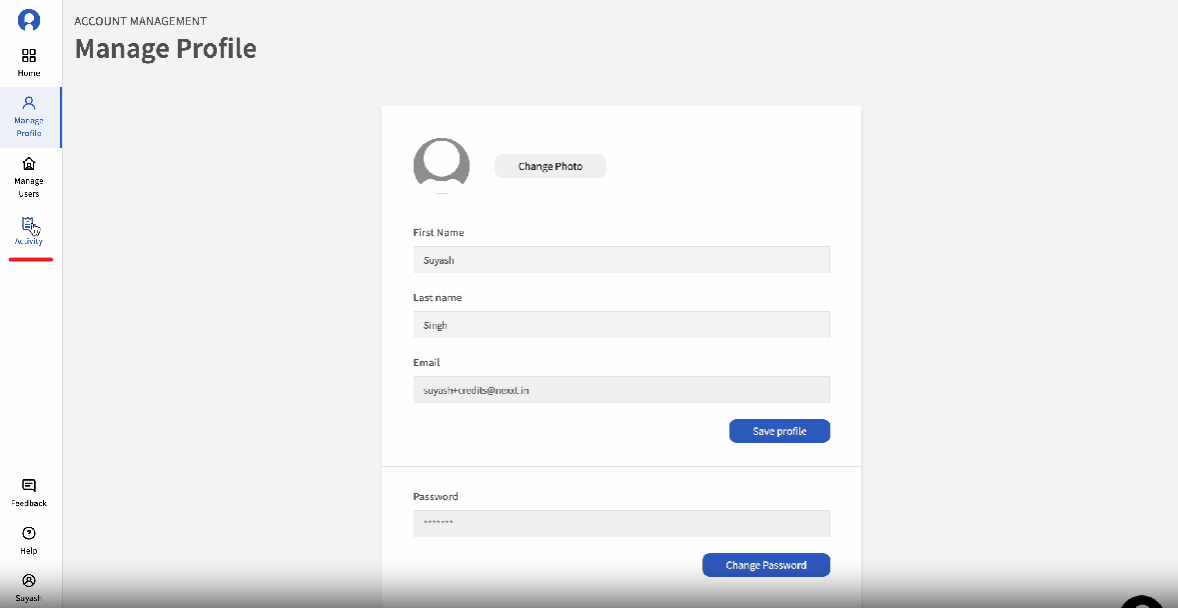
Note: If a user only has SmartProbe API key, then they will not be able to access this credit system in the inca platform. Those with Smartprobe API key only can check in their usage in this portal here.
Activity Summary
Users can view the total number of used and remaining credits for each product, as well as the expiration date for usage
PURCHASES
Users can track their purchase history in the PURCHASE tab. Users can search by License type or by Product type in the search bar. Users can also set the date range to track purchase for specific days/weeks/month/year.
Features:
- Date - shows the date when the product license was purchased
- License - shows the specific name of the License purchased for each product type
- Product - shows the product purchase if Platform (Conversation Platform), SmartCoding, Smartprobe API (either Standard or Pro), SmartCoding API
- Research Project - shows the number of project credit that comes with the Platform license
- SmartCoding - shows the number of SmartCoding characters that comes with Platform license, the main SmartCoding license, and SmartCoding API
- Smartprobe - shows the number of probes that comes with the Platform license
- Smartprobe Pro (API) - shows the number of probes that comes with the SmartProbe Pro license
- Smartprobe Standard (API) - shows the number of probes that comes with the SmartProbe Standard license
- Demerit (API) - shows the demerit credit that comes with any Smartprobe API license
USAGE
Users can track their usage history in the USAGE tab. This will show all usage activity for each product at project level.
Users can search by License type or by Product type in the search bar. Users can also set the date range to track usage for specific days/weeks/month/year.
Features:
- Date - shows the date usage activity
- Product - shows the product type with usage activity if Platform (Conversation Platform), SmartCoding, Smartprobe API (either Standard or Pro), SmartCoding API
- Product Name - shows name of the project. For the Smartprobe API this is the project_id field in the programmed study.
- Research Project - shows the deducted project credit that comes with the Platform license
- SmartCoding - shows the deducted number of SmartCoding characters per coding instance that comes with Platform license, as well the main SmartCoding license, and SmartCoding API
- Smartprobe - shows deducted number of probes for each package that comes with the Platform license
- Smartprobe Pro (API) - shows the deducted number of probes for each package; This is applicable for SmartProbe Pro license particularly for questions with Targets and Trained Models
- Smartprobe Standard (API) - shows the deducted number of probes for each package. This is applicable for comes SmartProbe Standard license
- Demerit (API) - shows the deducted demerit credit for each package that comes with any Smartprobe API license (Note: 2 Demerit Credits are included for each probe)
- Group Smartprobe Projects - when toggled on, this allows to show the cumulative usage for each project with any applicable Smartprobe Pro, Smartprobe Standard and Demerit activity within a selected period of time
Related Articles
What are the different roles assigned to an inca account?
Role Descriptions 1. Admin Overview: Admins are the highest-level users with comprehensive access and control over the entire inca platform. They have full capabilities to manage clients, platform credits, and client projects. Responsibilities: User ...